Managing Linux servers can be a daunting task, especially as your infrastructure grows. Traditionally, administrators would connect to each server individually, running commands and checking logs manually. However, with the right Linux server management tools, you can centralize control, automate repetitive tasks, and monitor resources seamlessly. In this guide, we’ll explore the top 10 Linux server management tools that can streamline your operations and enhance efficiency.
Why Use a Linux Server Management Tool?
As organizations scale, the complexity of managing multiple Linux servers increases significantly. Without a management tool, administrators face challenges such as misconfigurations, increased downtime, and inefficient resource management. Linux server management tools provide a unified dashboard for monitoring and controlling multiple servers, allowing for:
- Centralized management and monitoring
- Automated task execution across servers
- Consistent configuration changes
- Real-time alerts to prevent outages
Choosing the right tool is crucial, as the wrong choice can lead to mismanaged servers and unnecessary work.
1. Cockpit
Cockpit is a user-friendly, web-based graphical interface that simplifies Linux server management. Ideal for both beginners and experienced sysadmins, it allows users to switch between the graphical interface and command line seamlessly.
Key features include:
- Storage management, including RAID and LUKS-encrypted partitions
- Virtual machine creation and management
- System log browsing and searching
- Software package upgrades and performance monitoring
Pros: Multi-server management, SELinux log inspection, and customizable modules.
Cons: Limited support for complex virtualization and minimal role-based access control.
2. Webmin
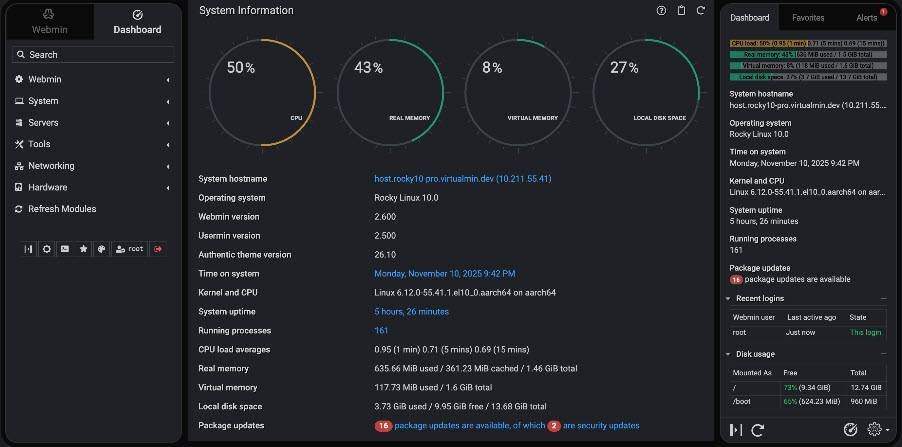
Webmin is a powerful web-based system administration tool that allows for comprehensive management of Unix-like servers. It simplifies tasks such as user management, disk quotas, and service configuration.
Key features include:
- User account management
- Software package installation and removal
- Linux firewall setup
- Database management for MySQL and PostgreSQL
Pros: Extensive API support and easy module addition.
Cons: Lacks built-in website management tools.
3. Nagios
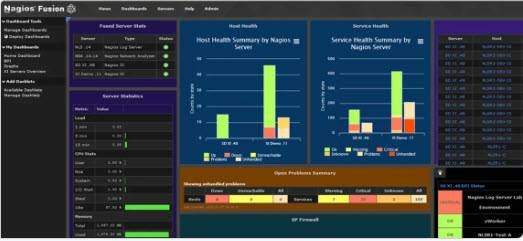
Nagios is a robust monitoring and alerting platform that has been trusted for over 25 years. It tracks servers, networks, and applications across various environments.
Key features include:
- Cross-platform monitoring capabilities
- Extensive plugin support
- Configuration and visualization tools
Pros: Scalable and customizable monitoring solutions.
Cons: Complex initial setup process.
4. Prometheus
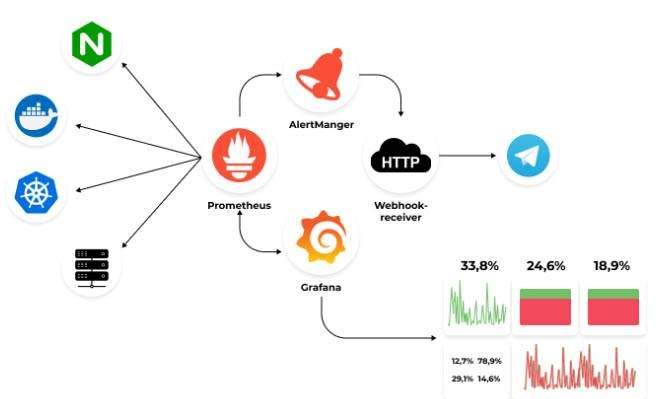
Prometheus is an open-source monitoring solution that excels in tracking metrics across Linux servers and applications. It integrates well with Kubernetes and other cloud managers.
Key features include:
- Multi-dimensional data model with time series
- Flexible query language (PromQL)
- Service discovery capabilities
Pros: Active community support and extensive integrations.
Cons: Limited default data storage duration and a steep learning curve for complex queries.
5. Puppet
Puppet is a powerful automation platform that maintains server configurations consistently across large environments. It allows users to define desired states for their infrastructure.
Key features include:
- Declarative configuration management
- Agent-server architecture for consistent enforcement
- Visual management console
Pros: Efficient management of thousands of nodes.
Cons: Requires substantial resources for the central server.
6. Ansible
Ansible is an open-source automation tool that simplifies IT tasks by automating repetitive commands across your infrastructure. It is particularly effective in enterprise environments.
Key features include:
- Self-service automation portal
- Event-driven automation capabilities
- Consistent execution environments
Pros: Scalable automation mesh and prepackaged content collections.
Cons: Limited Windows support and a smaller developer community.
7. Saltstack
Saltstack is designed to simplify IT operations through automation and configuration management. It helps reduce manual tasks and maintain consistency across systems.
Key features include:
- Scripted automation solutions
- Standard operating environment management
- Cloud resource optimization
Pros: Easy to learn with YAML syntax.
Cons: Agent-based architecture has a learning curve.
8. Chef
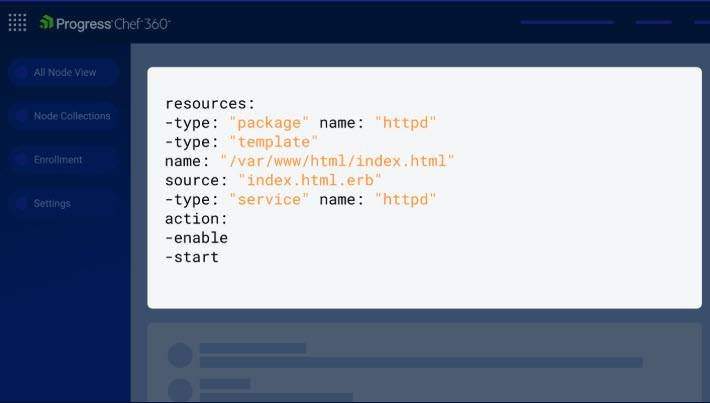
Chef is an infrastructure automation platform that combines ease of use with powerful automation capabilities. It supports workflow orchestration and compliance management.
Key features include:
- Agent-based and agentless automation
- Continuous compliance management
- Cloud-native application delivery
Pros: Strong support for large-scale deployments.
Cons: Outdated user interface and steep learning curve.
9. Foreman
Foreman is a complete lifecycle management tool for physical and virtual servers, providing provisioning, configuration, and monitoring capabilities.
Key features include:
- Provisioning on bare metal and cloud
- External node classification
- IP address management
Pros: RESTful API for automation and detailed audit trails.
Cons: Complex initial setup.
10. Zabbix
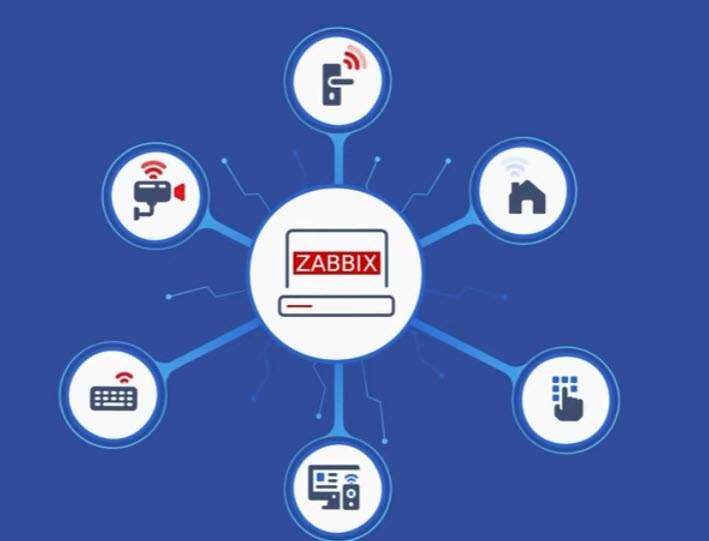
Zabbix is an open-source observability solution that monitors various IT environments, including cloud, networks, and IoT devices.
Key features include:
- Comprehensive metric collection
- Smart problem detection
- Customizable dashboards
Pros: No licensing fees and real-time insights.
Cons: Steep learning curve for new users.
Conclusion
Finding the right Linux server management tool is essential for effective administration. Each tool has its strengths and weaknesses, and the best choice depends on your specific operational needs. By utilizing the tools mentioned in this article, you can simplify the management of your Linux servers and enhance their security over time.