If you’re considering building your own Network Attached Storage (NAS) system for data storage, file sharing, or running applications like Docker, Plex, or Nextcloud, there are numerous powerful open-source solutions available today.
The appeal of open-source NAS software lies in utilizing an old computer or mini PC to create a professional-grade storage system at a low cost while maintaining complete control over your data.
In this article, we will discuss the top five open-source NAS operating systems that are worth considering in 2026.
1. TrueNAS SCALE
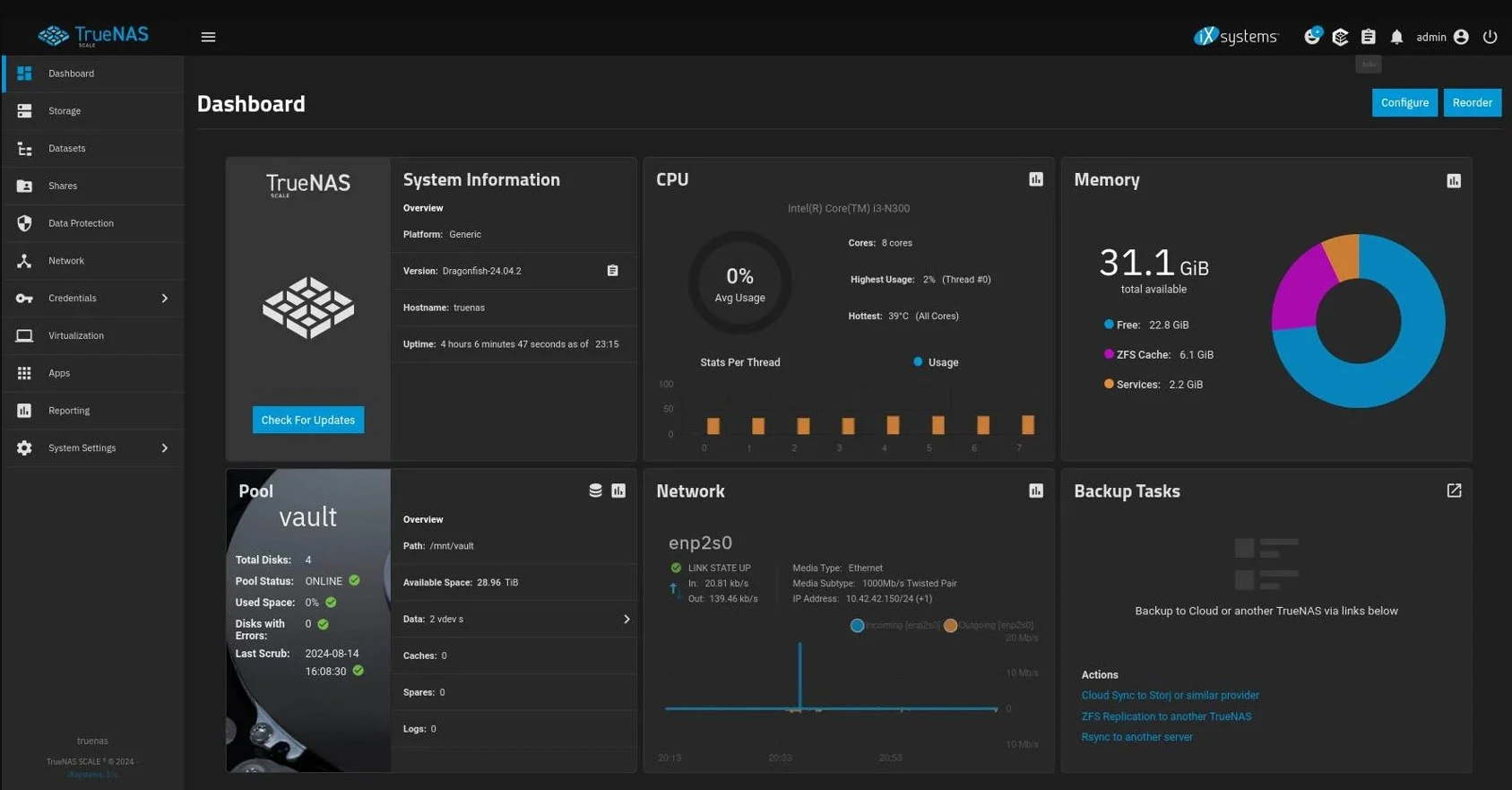
When it comes to choosing a NAS operating system, TrueNAS SCALE consistently ranks at the top. Developed from Linux, it employs the ZFS file system, renowned for its data protection and resistance against bit rot.
Advantages:
- Modern web interface
- Support for Docker and Kubernetes
- Powerful snapshot and replication features
- Supports RAID-Z
- Detailed user management and permissions
- Capable of running virtual machines
Disadvantages:
- ZFS requires considerable RAM
- Advanced configuration can be challenging for beginners
Ideal for: Families, small businesses, homelabs, and those needing high data safety.
2. OpenMediaVault (OMV)
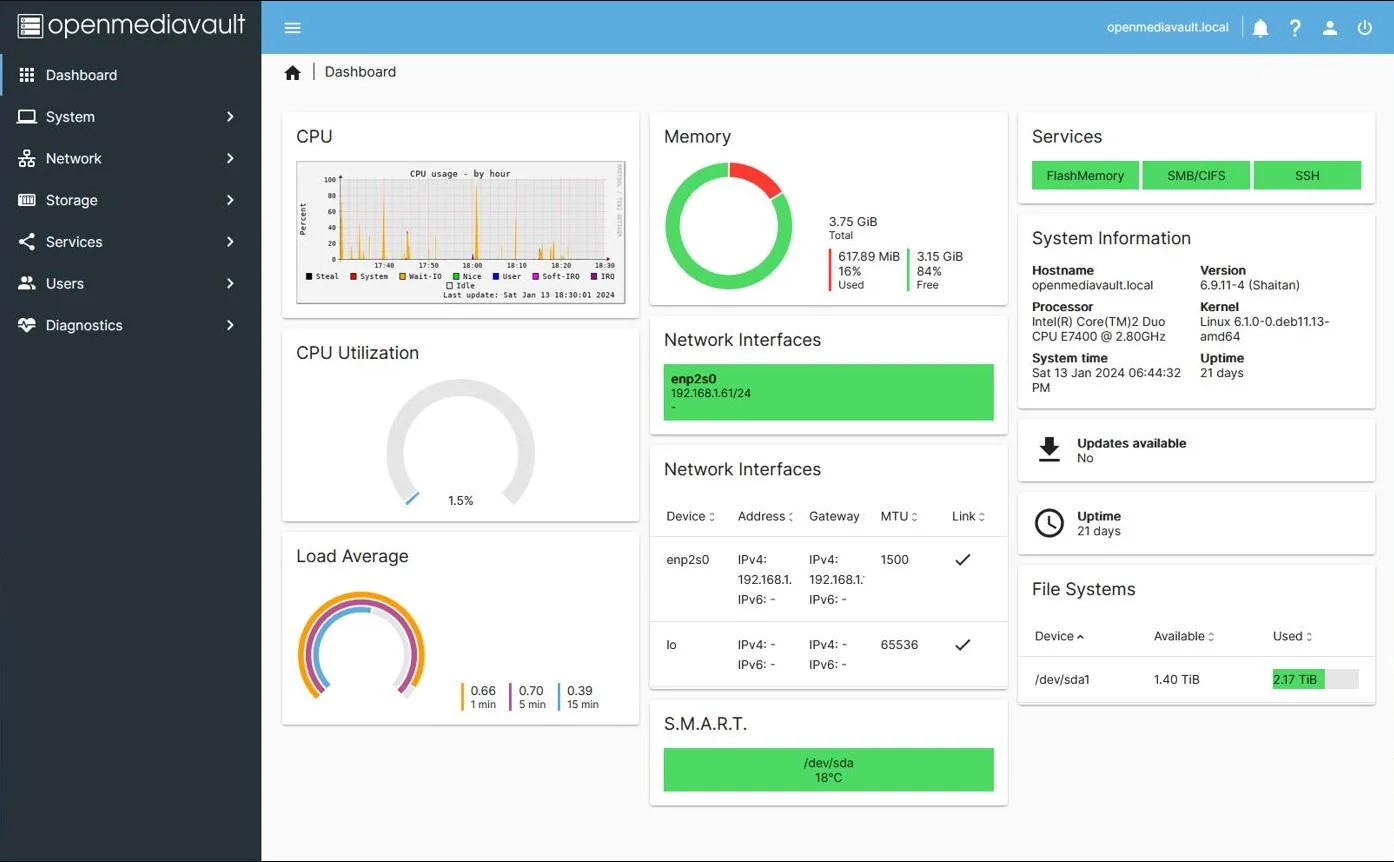
OpenMediaVault is an extremely popular choice for beginners setting up a NAS. Built on Debian Linux, it is lightweight, easy to install, and stable.
Advantages:
- Completely free
- Simple interface
- A vast array of plugins
- Easy Docker installation
- Supports SMB, NFS, FTP, Rsync
- Runs well on Raspberry Pi
Disadvantages:
- No ZFS integration by default
- Some plugins require additional installation
Ideal for: Beginners, home NAS users, and backup servers.
3. XigmaNAS
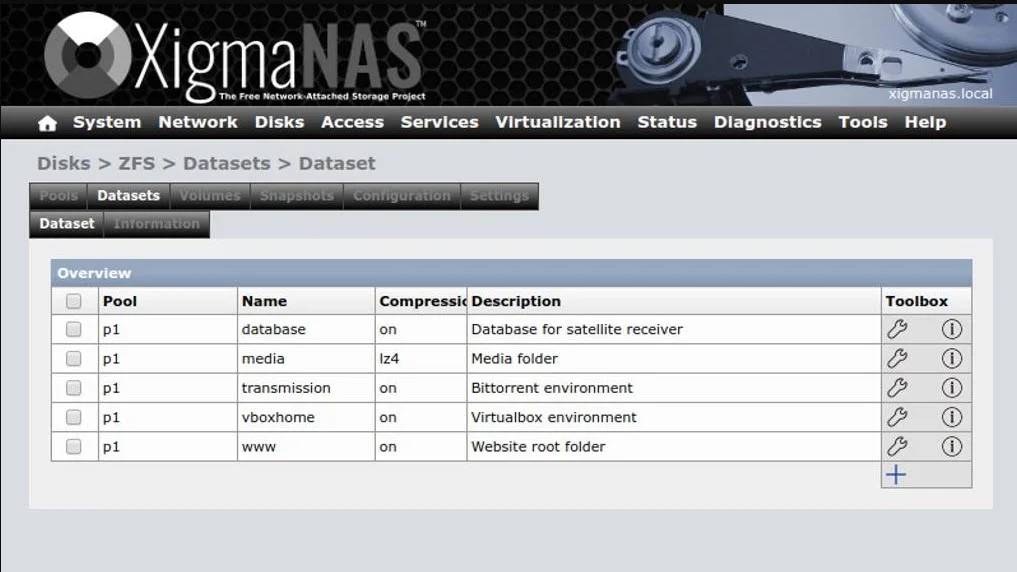
XigmaNAS is one of the oldest NAS projects, originally known as FreeNAS. Although less modern in design compared to TrueNAS, it is remarkably stable.
Advantages:
- Lightweight
- Performs well on older hardware
- Supports ZFS
- Uses minimal resources
Disadvantages:
- Outdated interface
- Fewer modern features
Ideal for: Old servers and NAS focused solely on data storage.
4. Rockstor
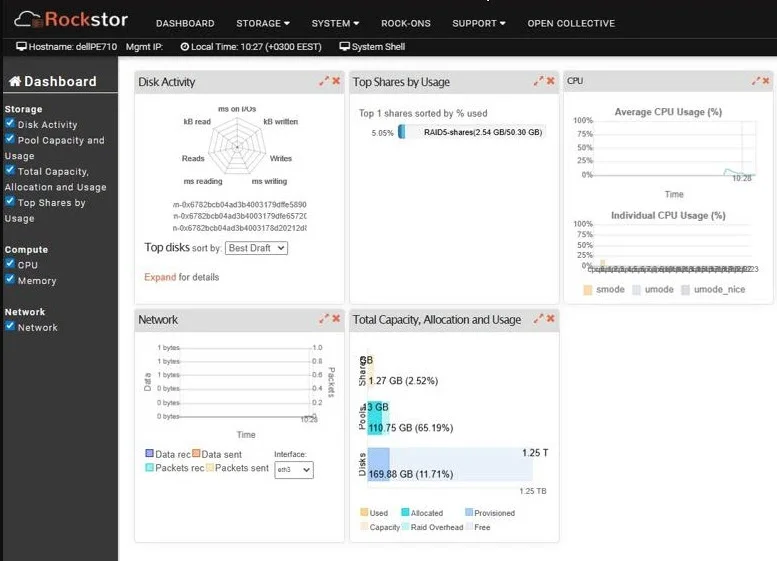
Rockstor employs the Btrfs file system, known for its quick snapshots and flexible disk management. It is an appealing option if you wish to experience Btrfs instead of ZFS.
Advantages:
- Fast snapshots
- Aesthetic interface
- Easy disk management
- Supports Docker
Disadvantages:
- Smaller community
- Slower development rate compared to TrueNAS
Ideal for: Btrfs enthusiasts and personal NAS setups.
5. CasaOS
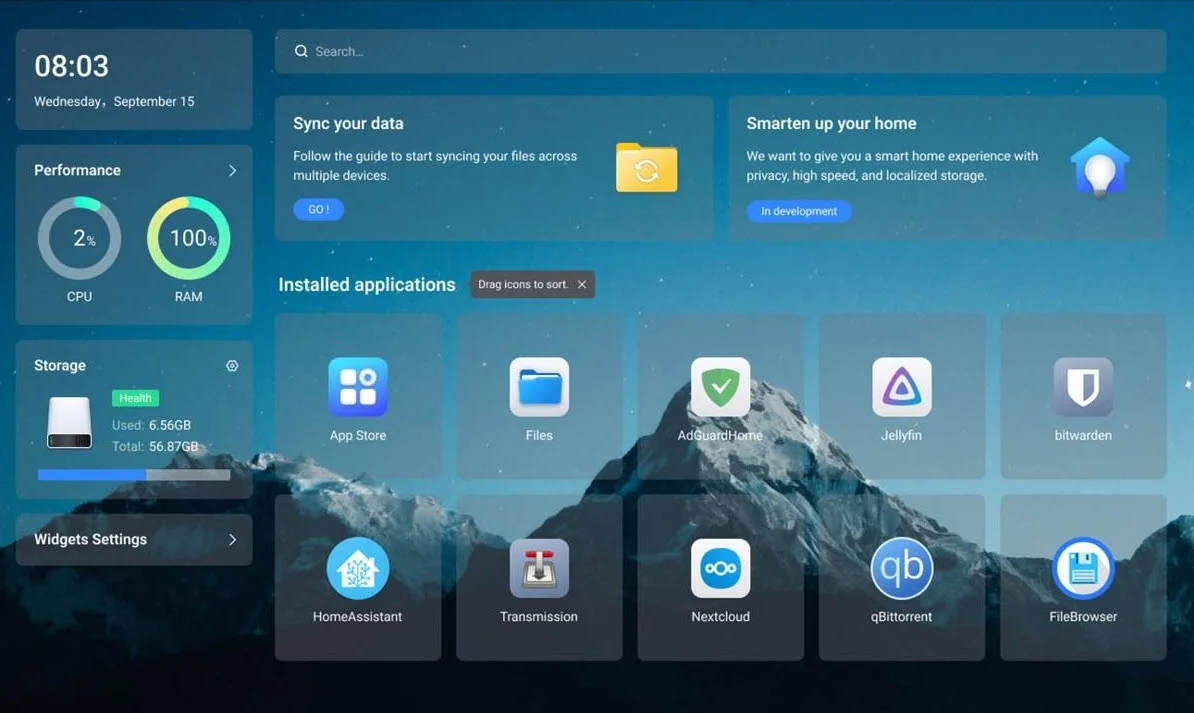
CasaOS is not a complete NAS operating system but an application management platform running on Linux. However, it has gained a lot of popularity among the homelab community due to its beautiful interface and one-click application installations.
Advantages:
- Modern interface
- Highly user-friendly
- Integrated Docker support
- Quickly install Plex, Jellyfin, Nextcloud, and more
Disadvantages:
- Not NAS-focused like TrueNAS
- Lacks many enterprise management features
Ideal for: Beginners, homelab users, and media servers.
Quick Comparison
| Software | Ease of Use | Docker | VM | ZFS | Ideal For |
|---|---|---|---|---|---|
| TrueNAS SCALE | ⭐⭐⭐⭐ | ⭐⭐⭐⭐⭐ | ⭐⭐⭐⭐⭐ | ✅ | Businesses, Homelabs |
| OpenMediaVault | ⭐⭐⭐⭐⭐ | ⭐⭐⭐ | ⭐ | Plugin | Families |
| XigmaNAS | ⭐⭐⭐ | ⭐ | ⭐ | ✅ | Old Hardware |
| Rockstor | ⭐⭐⭐ | ⭐⭐⭐ | ⭐ | ❌ (Btrfs) | Personal Use |
| CasaOS | ⭐⭐⭐⭐⭐ | ⭐⭐⭐⭐⭐ | ❌ | ❌ | Media Server |
Which Software to Choose?
Consider selecting TrueNAS SCALE if you need a robust, stable system with ZFS for enhanced data protection and the ability to integrate with Docker and virtual machines.
Opt for OpenMediaVault if you are new to NAS systems and want a quick installation process that prioritizes ease of use. It is ideal for storage and backup services.
If you have old hardware and prioritize stability and lightweight design, XigmaNAS might be your best choice.
Turn to Rockstor if you’re interested in experiencing Btrfs with flexible snapshot capabilities.
Lastly, choose CasaOS if you’re looking to build a versatile home server capable of running a multitude of Docker applications like Plex, Jellyfin, or Nextcloud.
Conclusion
No single NAS solution suits every need. For professional storage systems with high scalability, TrueNAS SCALE remains the top choice. Meanwhile, OpenMediaVault serves as a fantastic starting point due to its simplicity and robust community support. If your goal is to create a multifunctional home server, CasaOS provides an intuitive and accessible experience.
For those building a homelab or home lab, combining an open-source NAS with Docker, Proxmox VE, or services like Nextcloud, Immich, and Jellyfin will create a powerful ecosystem, allowing data management, backups, and entertainment on your hardware without relying on cloud services.
Read more
- TrueNAS Core vs TrueNAS Scale – Which NAS OS Is Right for You?
- Top Free NAS OS to Build Your Own NAS Server
- Top 10 Linux Server Management Tools for Efficient Administration
- Understanding TrueNAS RAID Levels: Stripe, Mirror, RAIDZ, and dRAID Explained
- How to Fix the Pairing Required Error in OpenClaw with Docker