As a network administrator, system engineer, or tech enthusiast, monitoring the stability of your servers, routers, and websites is a daily necessity. Opening multiple Command Prompt windows and typing ping -t manually is cluttered and outdated. Today, there is a modern, visual, and highly efficient solution available directly on the Microsoft Store: Multi Ping Tool.
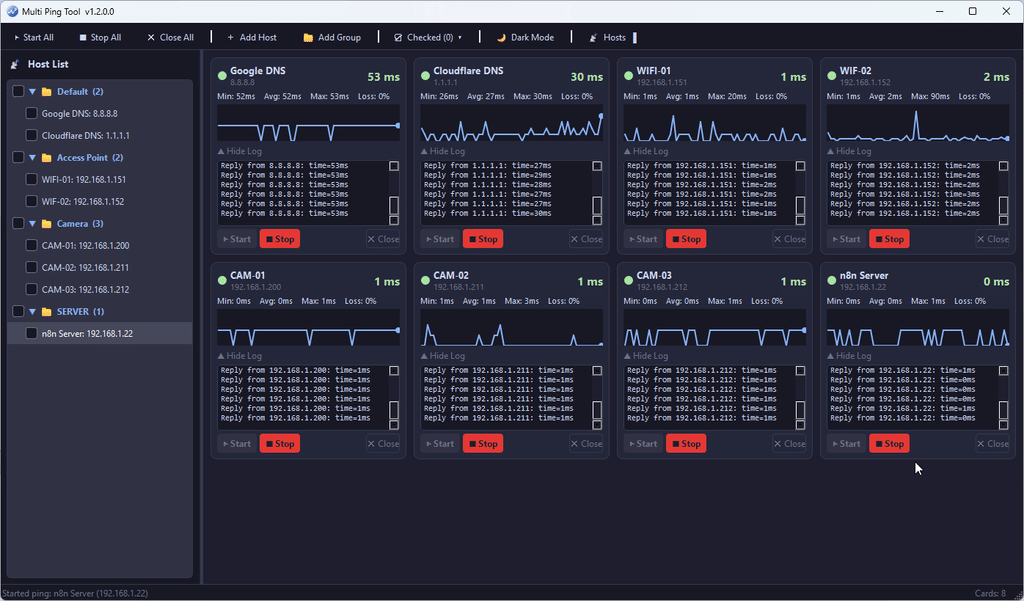
Developed in Python and fully packaged as a secure .msix application, Multi Ping Tool allows you to manage and observe network latency across your entire infrastructure simultaneously, free of charge.
Key Features of Multi Ping Tool
Concurrent Multi-IP & Domain Pinging
No more single-window command restrictions. Multi Ping Tool features a multi-threaded architecture that handles concurrent ICMP pings to multiple IP addresses or domains. The app operates with a minimal hardware footprint, delivering real-time packet responses without lagging your system.
Real-Time Visual Latency Charts
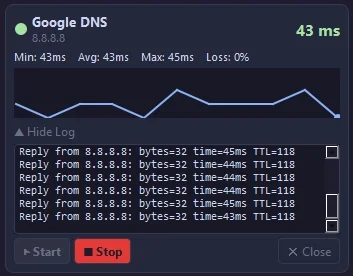
This is the application’s standout visual feature. Instead of reading endless lines of text, the app converts latency fluctuations into fluid, real-time wave graphs on each host card. A single glance allows network administrators to identify jitter, network spikes, or unexpected drops instantly.
Comprehensive Network Diagnostics
Each tracked host is treated as an individual, intelligent dashboard card that computes and displays critical metrics:
- Min / Avg / Max Latency: Easily evaluate baseline performance and connection speed.
- Packet Loss (%): Detect underlying routing issues or physical link disconnections immediately.
- Collapsible Log Details: You can expand or hide the classic CMD-style terminal output at the bottom of any card whenever you need deep-dive data.
Modern Dark Mode with Host Management
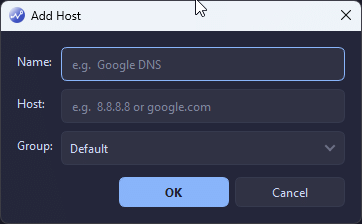
The software embraces a sleek, modern Dark Mode interface designed to eliminate eye strain during long server monitoring shifts. The left-hand navigation sidebar (Host List) syncs dynamically with the main workspace, enabling you to add, start, stop, or close monitored targets instantly.
How to Install via Microsoft Store
Because the app is officially certified and distributed through the secure Microsoft Store sandbox, users do not need to deal with manual driver installations or certificate trust errors.
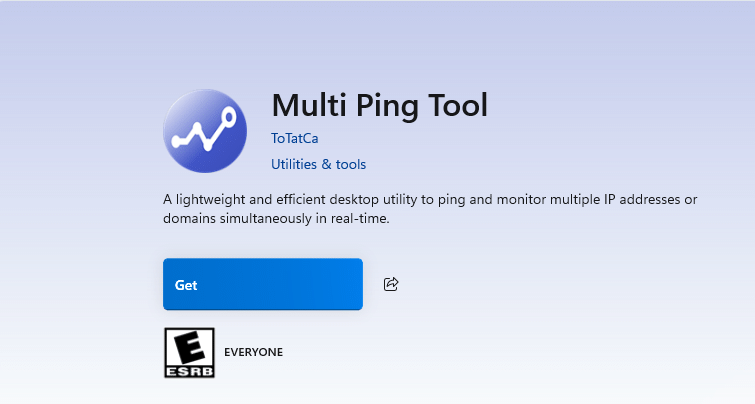
- Step 1: Open the built-in Microsoft Store app on your Windows 10 or Windows 11 machine.
- Step 2: Search for
Multi Ping Toolin the top search bar - Step 3: Click Get. The application will securely install to your Start Menu in seconds.
Conclusion & Privacy Commitment
Multi Ping Tool redefines traditional command-line utility monitoring into a polished desktop dashboard. Built with a privacy-first mindset, all your saved host data and network lists are stored completely locally (host.json) within your machine’s local application cache. The application never collects, tracks, or transmits your network telemetry to any external servers.
Download Multi Ping Tool from the Microsoft Store today to level up your network management workflow!