n8n is an innovative open-source automation platform that empowers users to design backend workflows by seamlessly connecting various APIs, services, and data sources within a unified system. Unlike conventional automation tools, n8n transcends basic trigger-action mechanisms, offering the capability to manage intricate data transformations, multi-step processes, and full-fledged production systems.
Understanding n8n Workflows
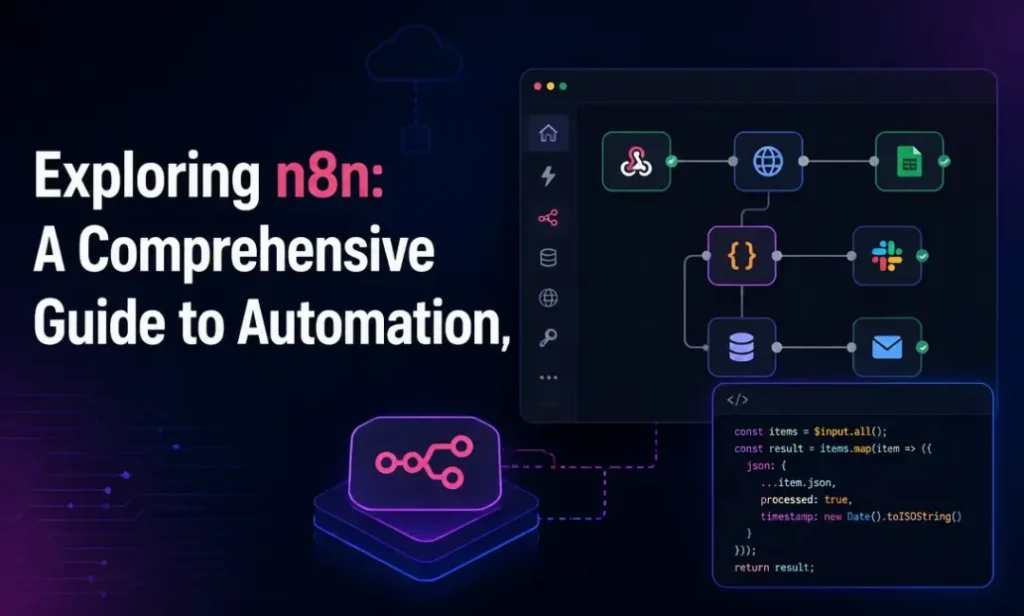
The essence of an n8n workflow lies in a series of interconnected nodes, each executing specific tasks such as retrieving data from APIs, transforming it, or dispatching it to other systems. What distinguishes n8n from its competitors is its hybrid model, which combines a user-friendly visual interface with the option for advanced users to write custom code. This dual approach caters to both non-technical individuals and developers seeking granular control over their logic execution.
The Mechanics of n8n Automation
At the heart of n8n automation is a data and action pipeline. Each workflow initiates with a trigger, which can take the form of a webhook, a scheduled activation, or an event from another application. Following the trigger, data proceeds through a series of nodes for processing, enhancement, filtering, or routing.
What sets n8n apart is its stateful and programmable nature. Users are not confined to a set of predefined actions; they can implement conditions, loops, branching logic, and even custom JavaScript when necessary. This flexibility allows teams to construct workflows that emulate real backend services rather than mere automations.
Integration of AI in n8n
The addition of n8n AI significantly broadens the platform’s capabilities, enabling it to move beyond mere task automation to include decision-making, language comprehension, and contextual analysis within workflows.
Introducing n8n AI Agents
An essential component of this advancement is the n8n AI agent. This element within a workflow leverages AI to make decisions, produce outputs, or guide execution paths. Rather than relying on hardcoded logic, users can define behaviors through prompts, context, and integrations.
For instance, an n8n AI agent could:
- Classify incoming support tickets based on their content.
- Determine which system or team should address a specific request.
- Generate automated responses or trigger subsequent workflows.
Features of n8n AI
The evolution of n8n AI transforms traditional automation into a more adaptable framework. Instead of rigid rules, modern n8n AI workflows can interpret inputs, make decisions, and dynamically modify execution paths. Key features include:
- LLM Integrations: Directly connect AI models into workflows.
- Prompt-based Logic: Utilize flexible decision-making instead of strict rules.
- Context-aware Execution: Pass structured data seamlessly between workflow steps.
- Multi-step Reasoning: Enable complex, chained AI logic for enhanced decision-making.
- AI-powered Routing: Dynamically classify and direct data based on its content.
- Tool and API Calling: Allow AI agents to perform real-world actions.
- Memory Handling: Maintain state information throughout workflow execution.
Building Workflows and Agents
The n8n AI workflow builder and the n8n AI agent builder are interconnected concepts that address distinct challenges within automation processes.
n8n AI Workflow Builder
This tool allows users to:
- Combine traditional automation techniques with AI capabilities.
- Create workflows that adapt based on varying inputs.
- Develop hybrid systems that blend rule-based logic with AI.
n8n AI Agent Builder
Focusing on autonomous systems, the agent builder helps in:
- Designing independent agents that can operate autonomously.
- Linking various tools and APIs for comprehensive execution.
- Performing tasks with minimal human involvement.
Pricing Structure of n8n (2026)
n8n’s pricing strategy is notably competitive, with execution-based billing—users only pay for workflow runs rather than individual steps within those workflows. This model makes n8n particularly attractive for intricate automations. Currently, there are no limitations on active workflows across all plans, and an annual billing option offers approximately 17% savings on cloud plans.
Important aspects to consider regarding n8n pricing include:
- Self-hosting incurs costs for infrastructure, typically ranging from $5 to $20 per month, in addition to setup and maintenance.
- The Business plan, priced at $800 per month, is geared toward organizations requiring enterprise-level features without lengthy sales processes.
- For heavy automation needs and on-premises deployments, enterprise pricing is available upon request.
Alternatives to n8n
While n8n is a powerful choice for teams seeking flexibility, it may not suit every scenario. Here’s a comparison with some leading alternatives:
1. Zapier
As the most widely recognized automation platform, Zapier is user-friendly and requires no technical expertise. However, its task-based pricing can become costly for complex workflows.
2. Make (formerly Integromat)
This visual workflow builder provides solid data transformation capabilities, sitting between Zapier and n8n in technical depth.
3. UI Bakery
UI Bakery complements n8n by providing user-facing interfaces for dashboards and operational tools, enabling teams to showcase n8n’s backend automations.
4. Activepieces
This open-source automation platform offers a simpler setup and is ideal for teams looking for plug-and-play automations without extensive programming knowledge.
5. Windmill
Focusing on developers, Windmill offers a more code-centric approach to building scripts, flows, and internal applications.
When to Use n8n
Consider using n8n for:
- Backend automation workflows.
- Orchestrating APIs and synchronizing data.
- AI-powered automation pipelines with n8n AI agents.
- Creating systems that necessitate custom logic.
- Teams seeking self-hosted infrastructure control.
However, n8n is less suited for developing user-facing applications or dashboards, where tools like UI Bakery excel.
Conclusion
n8n has evolved significantly from a simple automation tool into a robust platform capable of facilitating intelligent systems that analyze data, make decisions, and autonomously execute workflows. For teams desiring flexibility, control, and AI integration, n8n presents a compelling solution, especially with its advantageous execution-based pricing model. When combined with front-end tools like UI Bakery, n8n helps create powerful intelligent automations and usable internal software, marking a shift from mere tool connectivity to the development of adaptive systems.
Read more
- Understanding n8n: The Automation Tool You Need
- Install n8n Server on Linux VPS (Ubuntu/Debian) | Docker + FreeSSL + Nginx
- How to Self-Host n8n on Windows Using WSL and Docker
- Guide to Installing n8n Server on Ubuntu Using Docker
- Winget: Microsoft’s Official Tool for Easy Software Installation on Windows